I’m struggling to create a column that displays a combination of an icon and a text.
In fact, I was able to do it by using the Concatenate formula and passing the icon and text as parameters.
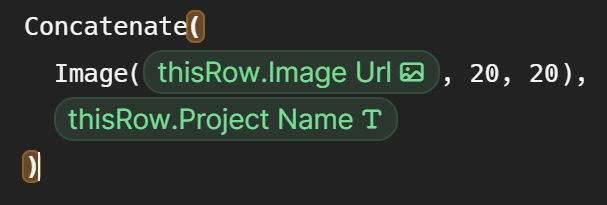
However, the result is displayed misaligned as you can see below:

The tables look very odd due to the misalignment issue:

Is there a way to combine an icon and a text with the proper vertical alignment?
I’ve tried to use a “Format” trick proposed on another topic, by setting a helper table listing some formatting templates as shown below:
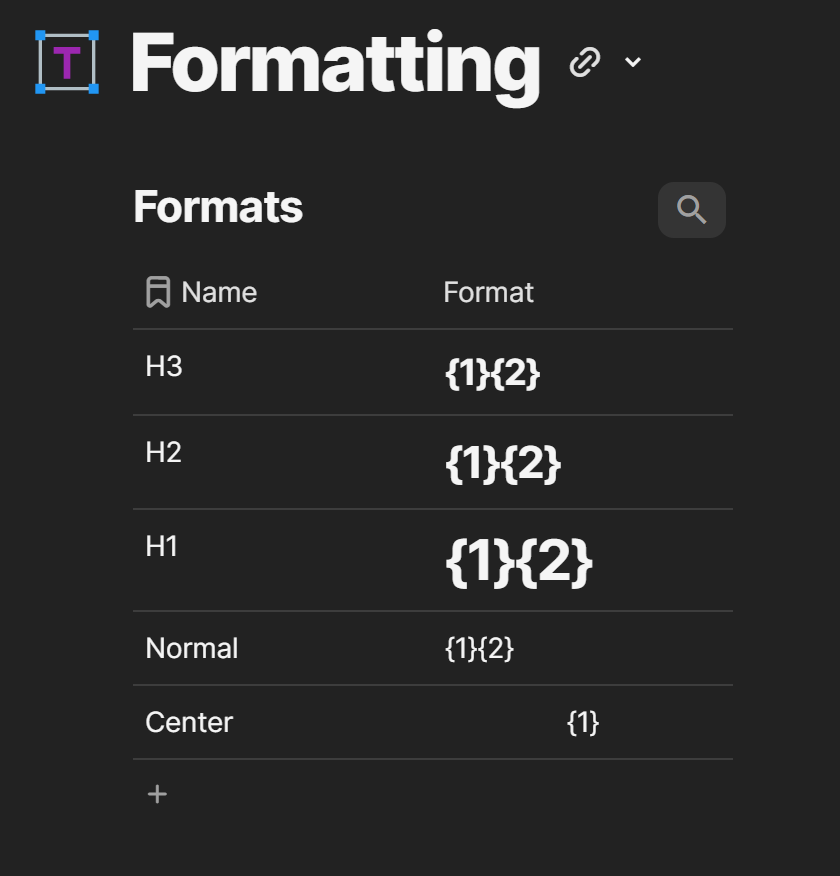
However, it didn’t work either.

The only way I could find to mitigate this vertical alignment issue is to use a browser plug-in to modify some of the styles applied to the html elements generated to represent the combination of the icon + text.
Nevertheless, frequently it breaks due to updates on coda.
If anyone has any clue on how to resolve this problem, I’ll really appreciate 
Thanks

