Hi everyone,
I’m running into a limitation with Coda’s Page Locking settings and would love your insights or workarounds.
Context:
I want to allow users to interact with a subtable from a modal view, specifically to add and edit rows they’ve created. Think a DB Invoice table with a column pointing to DB Invoice Items table. I’d expect Coda to enable these interactions with the setting:
Page Locking
→ Interact only → Add, edit, and delete rows users created
Problem:
This setting works as expected, allowing users to interact with “standard” columns in modal view (expanded row). But not for a Relation column, shown as subtable in a modal: the “+” button disappears.
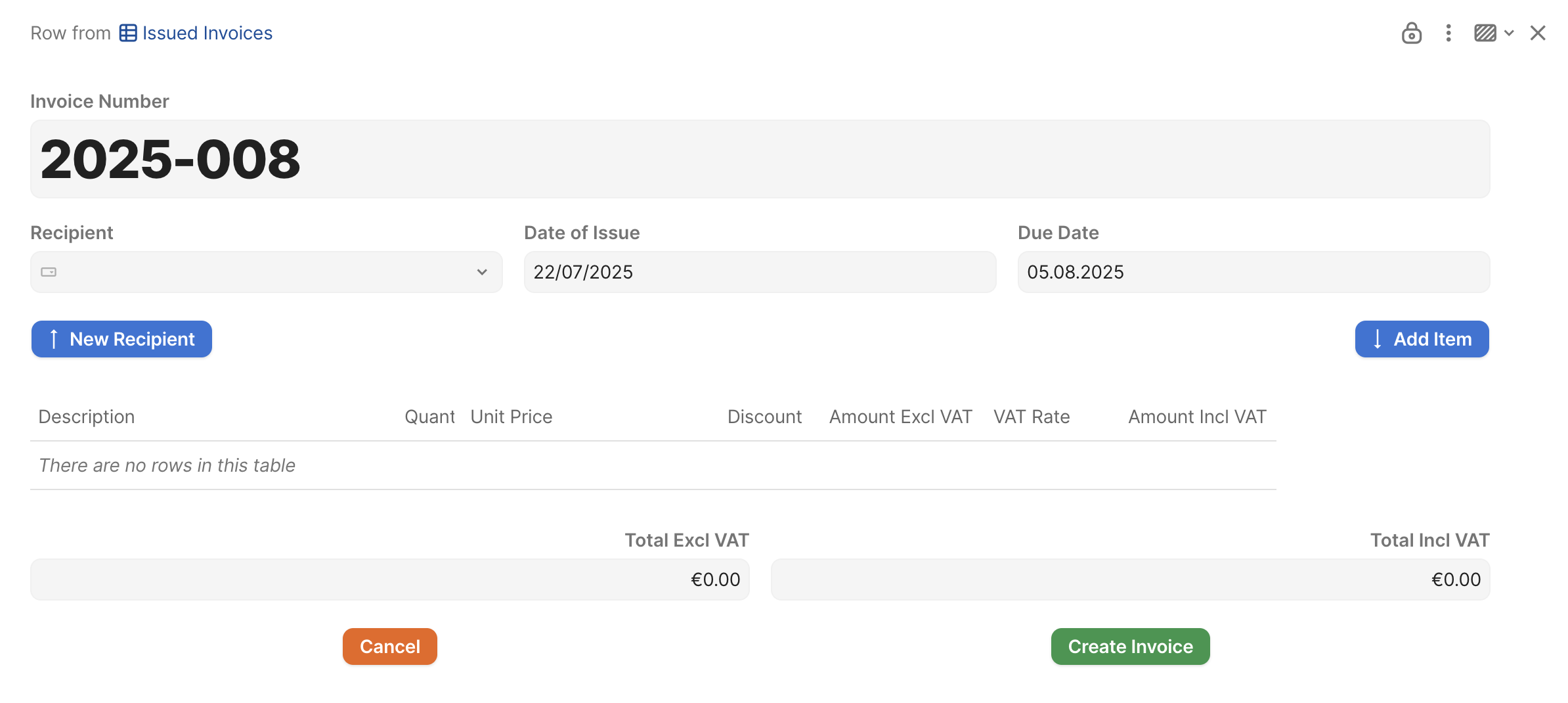
Users can’t add new rows to the subtable unless I unlock the page or switch to:
Page Locking
Interact only → Edit any table value
But that second option is too permissive for my use case, with non-Coda savvy users. I need to protect sensitive fields, and I don’t want users to have full editing rights across the entire page – I already had users erroneously change e.g. the invoice number of a row from other users.
Tried workaround:
- I added a button to manually create a new row in the related table (DB Invoice Items). That part works, but the row is still not editable under the “Add, edit, and delete rows users created” setting — even though the row creator is the current user.
- I reached out to Coda support, and they confirmed this is currently working as intended. Their suggestion was to use the “Edit any table value” setting, but that unfortunately doesn’t meet the level of access control I need. Or Cross-Doc, which seems overblown.
- I could also duplicate every column to make a read-only version for sure, but that also seems overblown.
What I’m hoping for is:
- a way to allow users to add and edit their own rows in a subtable, without unlocking the entire page or enabling full edit rights.
- Or a workaround that respects the row-ownership logic of the locking system within subtables.
Has anyone run into this or figured out a workaround?
Would love to hear how you’re handling this.
Thanks in advance!
Sébastien