Although the cross-doc pack is back, but the tables added by the cross-doc only have 3 columns, the others columns disappeared.
1 Like
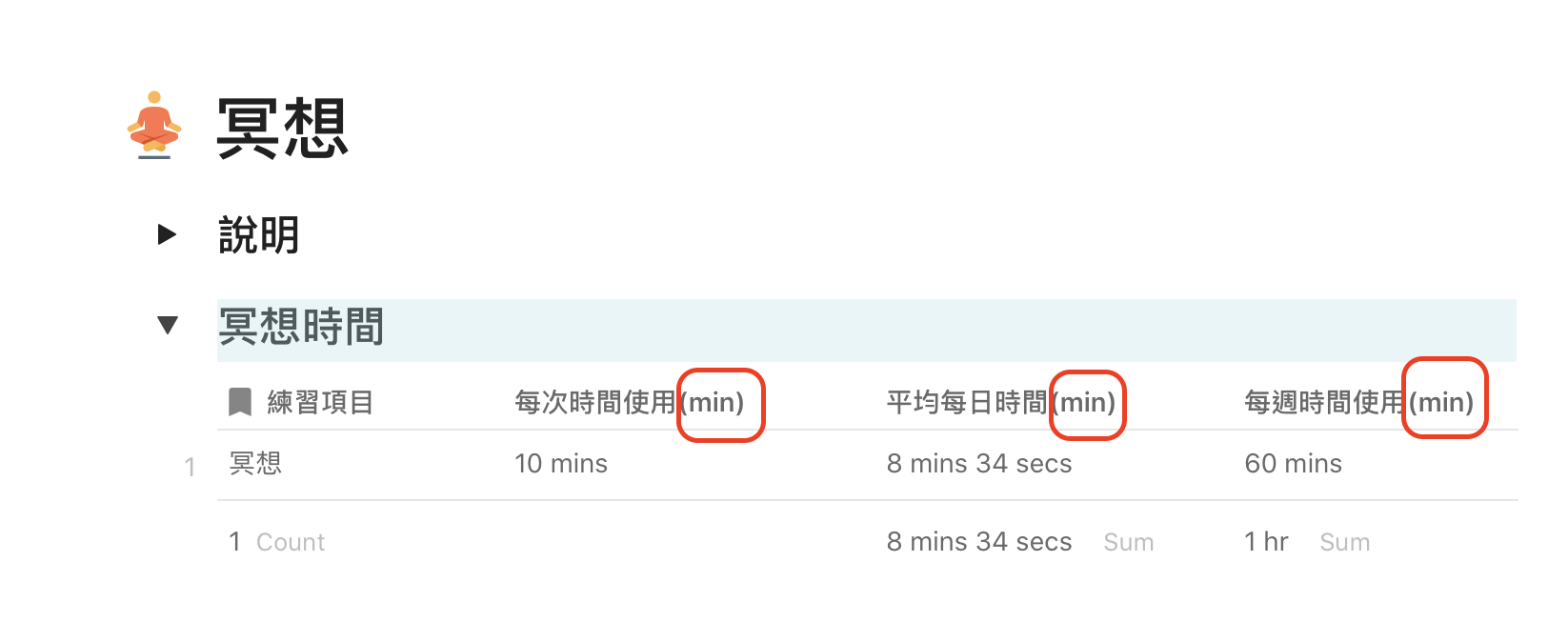
I’ve solve the problem, it was a bug. For who is interest in the cross-doc sync problem, there are pictures when the bug happen. I want to express the unit is minute, but (min) caused the bug.

1 Like
Thank you for replying with the solution to the issue!
Just to be clear, removing the “(min)” in the column name allowed cross-doc to work?
1 Like
Yes, it works, besides, I found another bug, if the tables’s names are chinese, the datas within them cannot be called by other tables… I feel strange if I use english in the table’s name because english is not my mother language.
1 Like
I can confirm this bug too. Adding brackets in the column name “breaks” the cross-doc sync. 90 % of the time, as soon as you “un-hide” a column that contains brackets, no column will cross over. The other 10% of the time CODA will sync the column but automatically remove the brackets on the destination sheet
SOURCE SHEET:

DESTINATION SHEET:

I just noticed that CODA has also removed the underscore character
3 Likes
I know this is 4+ years old, but I am finding similar behaviour with cross-doc.
My source table has some similarly named columns, often differentiated only by a special character. An example might be “Gross Spread $” and “Gross Spread %”.
Cross-doc seems to hate special characters in column names, whether it be spaces, underscores, brackets, currency symbols… also if the second word is capitalised… the pattern is not consistent but it looks to nearly-always unilaterally change the column name upon a sync.
So in my example above, it will read both “Gross Spread $” and “Gross Spread %” as “Gross spread”, and ends up dropping one of the columns out of the target table completely - presumably because it now has a naming conflict and doesn’t know how to deal with the perceived dupe column. When I took at the cross-doc settings for the target table it still shows that it is syncing every single column from the source, but the target table is showing fewer columns than expected.
There is no way that I can see to overcome this, without changing the column naming conventions in the source document! In my case this is a pain, because the source table is itself coming from a CSV import, so there’s a lot to change / be mindful of.
1 Like
hi @Rahul_Patel ,
I remember that the great Coda connaisseur @Paul_Danyliuk made some time ago comments on how Coda gueses the names and is not litteraly doing a copy - paste of the names . This may explain this behaviour. Due to this, I am afraid the only solution I see is indeed - as you suggest - make the sure the columnnames are more specific.
Cheers, Christiaan
This topic was automatically closed 3 days after the last reply. New replies are no longer allowed.